Please verify withdrawals for Bitcoin by uploading your ID or driver license through CashApp.
Signup for our newsletter to get notified about sales and new products. Add any text here or remove it.
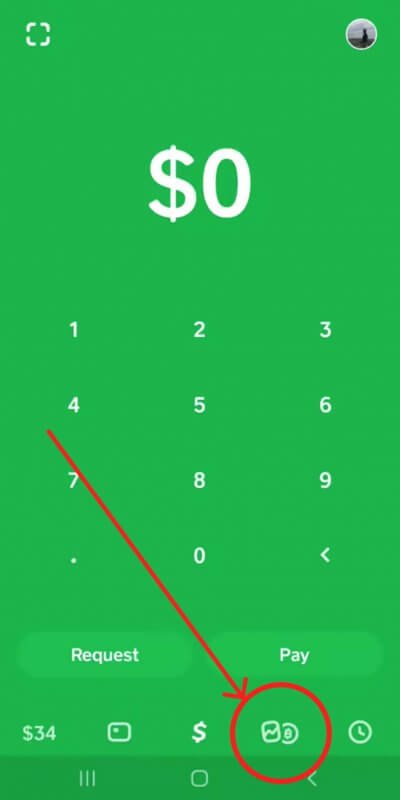
Tap the Bitcoin tab on your Cash App home screen
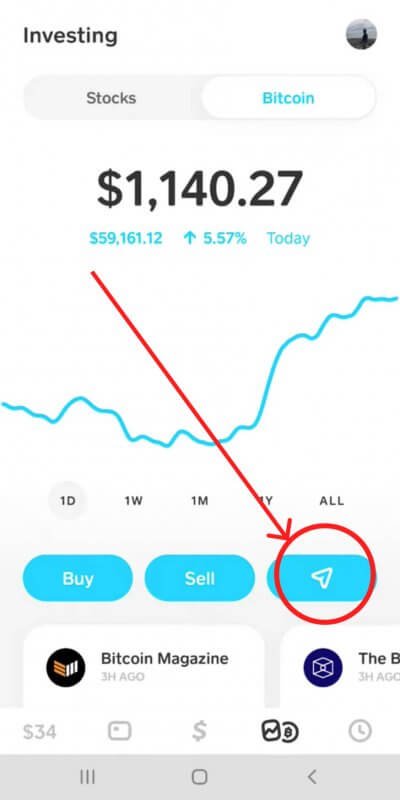
Tap the Airplane button
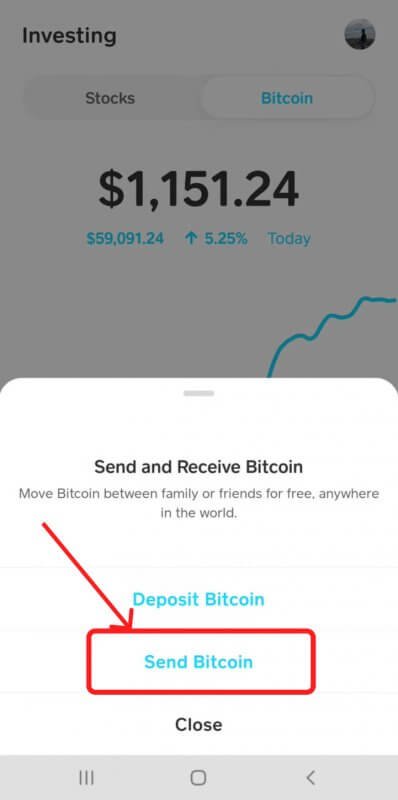
Choose send Bitcoin
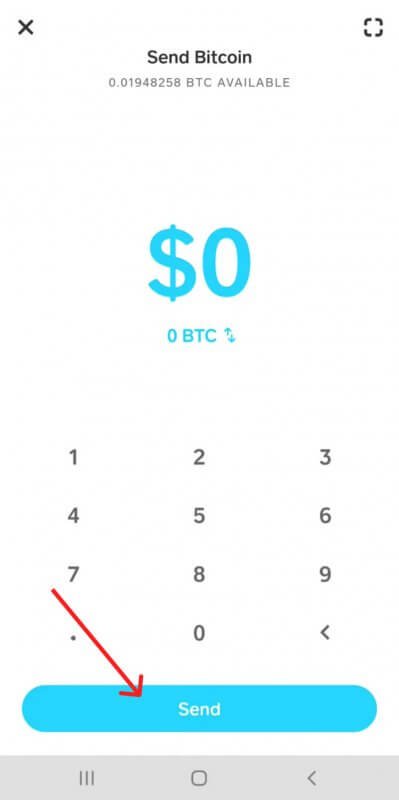
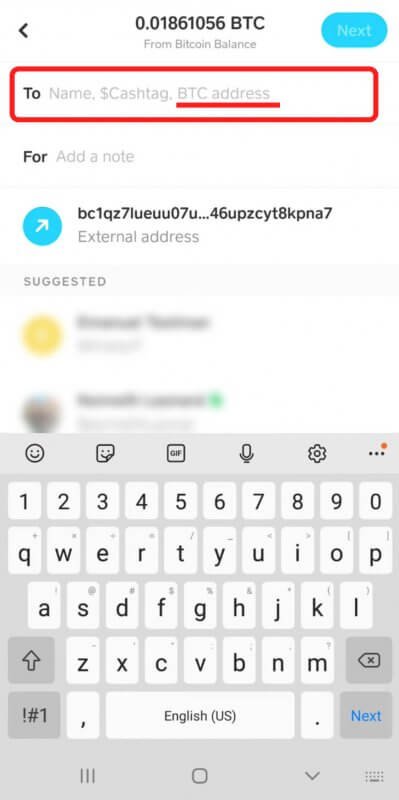
Either tap the top left corner of the screen to access the QR code scanner or tap Send to enter the external wallet address manually
Tap the Bitcoin tab on your Cash App home screen
Tap the Airplane button
Choose send Bitcoin
Either tap the top left corner of the screen to access the QR code scanner or tap Send to enter the external wallet address manually
Please verify withdrawals for Bitcoin by uploading your ID or driver license through CashApp.
Having trouble scanning your driver’s license? Try the following:
1. Take the photo in a well-lit, glare-free area
2. Place your license against a dark background
3. Check that your license is valid
You must be 18 or older to apply for a Cash Card.
Still need help? https://cash.app/help/us/en-us/1016-bitcoin

Tap wallet address to confirm
Tap Next
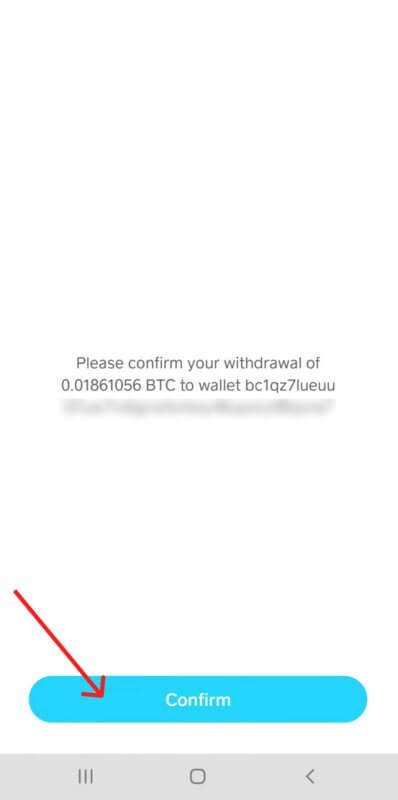
Tap Confirm & Send to initiate your withdrawal.
Tap wallet address to confirm
Tap Next
Tap Confirm & Send to initiate your withdrawal.
Please verify withdrawals for Bitcoin by uploading your ID or driver license through CashApp.
Having trouble scanning your driver’s license? Try the following:
1. Take the photo in a well-lit, glare-free area
2. Place your license against a dark background
3. Check that your license is valid
You must be 18 or older to apply for a Cash Card.
Still need help? https://cash.app/help/us/en-us/1016-bitcoin